Time off, approved without the back-and-forth.
Leave requests, balances and approvals on the same org structure you already manage in lvlst — built for the GCC and Egypt.
- Annual, sick and custom leave types
- Policy overrides by department, grade or individual
- Two-stage manager then HR approval
- Live balances with accrual and carry-over
- Team leave calendar for managers and HR
- Email and in-app notifications at every step
LIVE BALANCES
Everyone knows exactly where they stand.
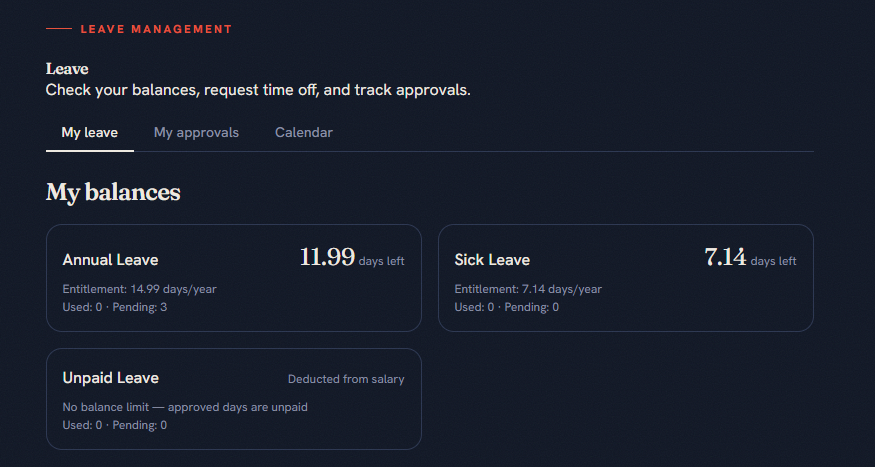
Balances update the moment a leave request is approved. Employees, managers and HR see the same live numbers — no spreadsheets to reconcile.
- Entitlement, used, pending and remaining per type
- Carry-over and accrual handled automatically
- Policy overrides by department, grade or individual
- Export-ready for payroll and compliance
The employee My leave screen in lvlst, with balance cards for Annual Leave, Sick Leave and Unpaid Leave. Annual and sick leave show entitlement, used, pending and remaining days; unpaid leave is identified as deducted from salary.
TEAM CALENDAR
See who’s away and plan team coverage.
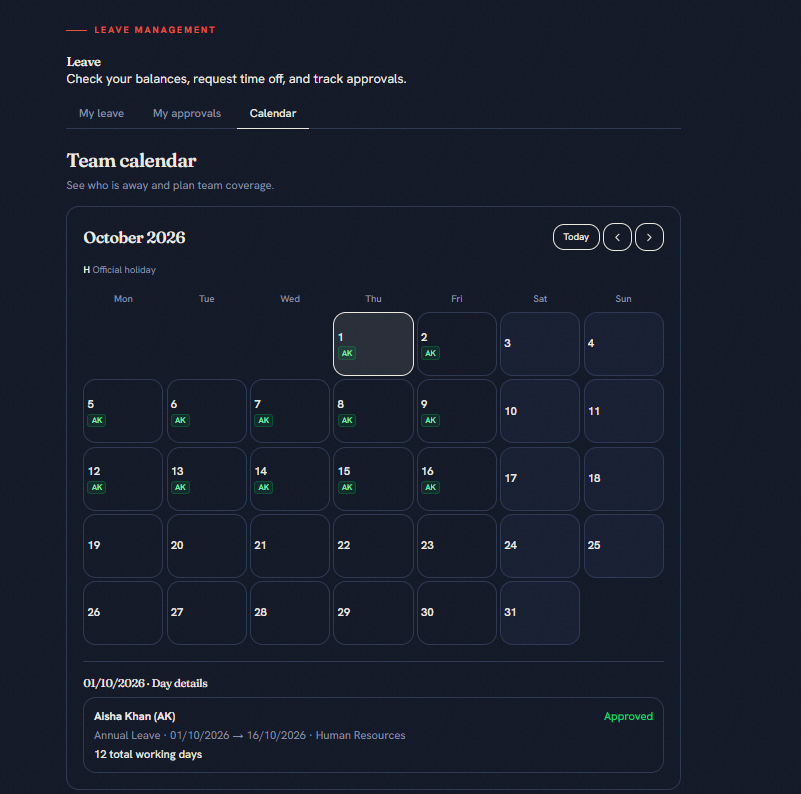
Managers and HR can review leave across the month, then select a day to see the employee, department and request details.
- A monthly overview of who is away
- Employee initials shown on leave days
- Selected-day details with dates and approval status
- Working-day totals for each leave request
The Team calendar screen in lvlst showing October 2026. Employee initials appear on leave days. The selected-day details show an approved annual leave request, its date range, department and total working days.
Policy once, approvals everywhere.
Policies that fit your org
Set company-wide entitlements, then override by department, grade or individual — the most specific rule wins.
Two-stage approvals
Requests route to the direct manager first, then HR signs off. HR can step in and decide directly whenever needed.
Balances and team calendar
Live entitlement, used, pending and remaining days per type — plus a calendar of who is out and when.
Everyone stays informed
Email and in-app notifications at every step — submission, manager decision and final HR outcome.
Leave that runs itself.
Same employees, same org structure as Performance Management — zero setup duplication.